
Convert Photo to Rubber Stamp Effect Online Free: The PixSprout Guide
Table of Contents
Digital design often mimics the physical world. A popular trend is the rubber stamp effect. It turns a clean digital photo into a gritty, textured, and single-color image that looks like ink pressed onto paper.
Whether you want to create a vintage logo, a cool digital signature, or a unique profile picture, you don't need expensive software like Photoshop.
At PixSprout, we specialize in AI-powered photography tools. This guide will show you how to convert a photo to a rubber stamp effect online for free using our dedicated tools, ensuring a professional result in seconds.
Why Use the Stamp Effect?
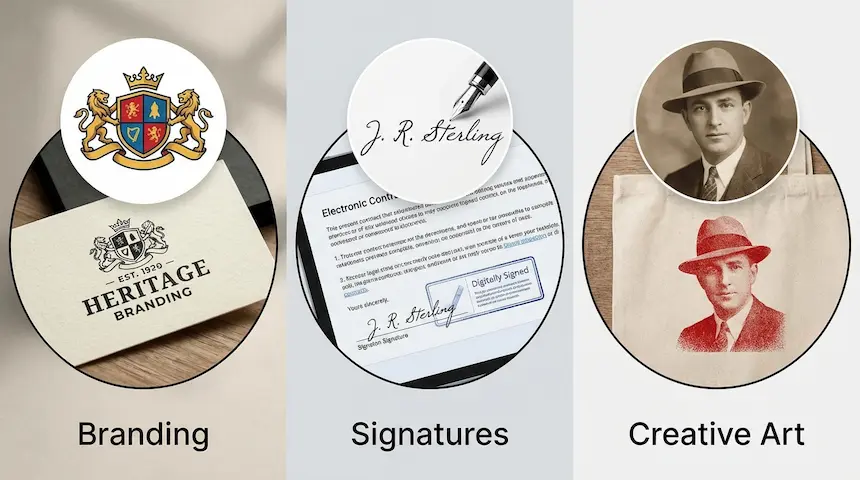
The stamp aesthetic strips away color and complexity, leaving only the essential lines and shapes. It is perfect for:
- Business Branding: Turning a complex logo into a clean, one-color seal.
- Digital Signatures: Creating a transparent PNG signature for documents.
- Creative Art: Giving portraits or pet photos a retro, artistic vibe.
How the Conversion Works
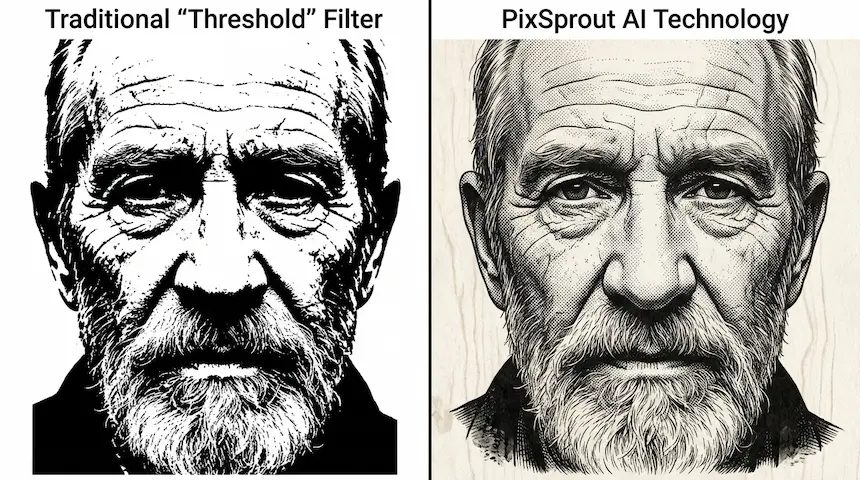
Traditionally, designers used a "threshold" filter to push pixels to either fully black or white. However, this often resulted in jagged edges or loss of detail.
PixSprout uses advanced AI to analyze the subject of your photo. Instead of just looking at brightness, our AI understands shapes—whether it’s a face, a pet, or a text logo. It smartly separates the subject from the background and applies a texture that mimics real ink imperfections, giving you a cleaner, more authentic stamp look.
Step-by-Step: Convert Photo to Stamp with PixSprout
Ready to create your design? Follow this simple workflow using our specialized tool.
1. Choose Your Source Image
For the best results, start with a high-contrast image.
- Good choices: Logos on white backgrounds, clear portraits, black signatures on white paper, or simple object icons.
- Avoid: Blurry low-light photos or busy backgrounds with too many colors.
2. Upload to PixSprout
Navigate to our Image to Stamp Maker.
- Click the upload button or drag and drop your file (JPG or PNG).
- Our AI creates the stamp effect in about 30 seconds. It automatically handles background removal and texture application.
3. Customize and Download
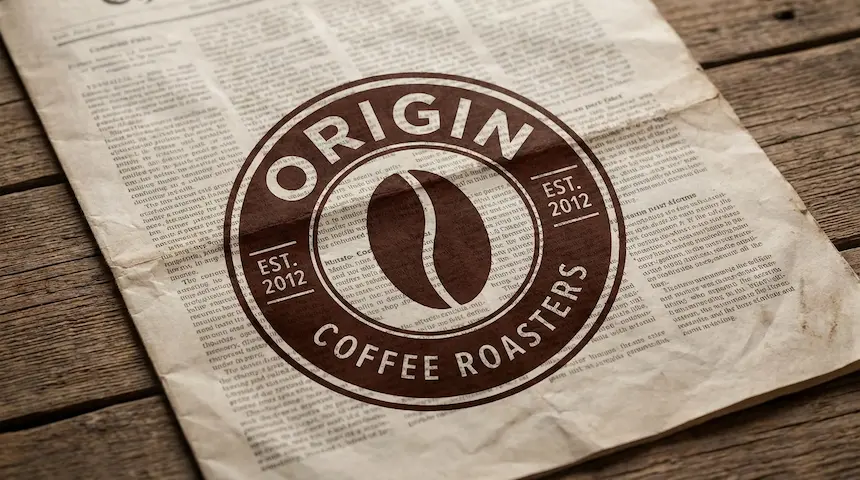
Once the conversion is complete, you can preview your stamp. The tool generates a transparent PNG. This is crucial because it allows you to place your new stamp over any other background—like a document, a website header, or a poster—without a white box around it.
No Photo? Generate One with AI
Sometimes, you have an idea for a stamp but don't have a starting image. Maybe you need a specific circular seal for a business or a vintage postage look.
You can use our Text to Stamp Generator. Simply describe what you want (e.g., "A vintage coffee shop logo with a bean icon"), and our AI will generate a custom stamp design from scratch.
Tips for Pro-Level Digital Stamps
1. Watch the Details Real rubber stamps aren't perfect. If your digital stamp looks too "clean," it might look fake. The PixSprout effect introduces subtle "grunge" or noise to mimic the uneven distribution of ink.
2. Color Matters While the conversion usually outputs black or red, you can easily recolor a transparent PNG.
- Red: Best for official-looking seals or "Urgent" stamps.
- Blue: Traditional for office signatures.
- Black: Ideal for logos and general branding.
3. Test on Different Backgrounds Before finalizing your design, place the transparent PNG over a textured paper background. This helps you see if the stamp blends naturally or if the lines are too thin.
Frequently Asked Questions
Can I use these stamps for my business? Yes! The stamps generated via PixSprout are perfect for branding, packaging designs, and digital watermarks.
Do I need to sign up to use the tool? You can try our Image to Stamp tool instantly. We prioritize speed and ease of use, so you can get your file and get back to creating.
What creates the "vintage" look? The vintage look comes from "dithering" and texture. Our AI simulates the tiny gaps where ink wouldn't touch the paper on a real physical stamp. This adds depth and character that a simple black-and-white filter cannot achieve.
Start Creating Today
Don't let complex design software slow you down. Whether you have an existing photo or just a text prompt, PixSprout has the right tool for you.
- Have a photo? Go to Image to Stamp.
- Have an idea? Go to Text to Stamp.
Convert your photos into timeless designs now!
Recommended Posts
Stop Getting Hand Cramps: The Brutal Truth About Signature Stamp Makers
Tired of signing hundreds of checks by hand? Most custom signature stamps end up looking like smudged garbage. Here's exactly how to get one that actually works.
Custom Stamp Maker Guide: DIY Machines vs. Pro Services vs. AI Tools
Stop wasting money on bad ink. Here’s the honest truth about custom stamp makers, from the Silhouette Mint to digital AI design tools.
AI Stamp Maker: Stop Overpaying for Custom Digital Seals (2026 Guide)
Still waiting days for a designer to make a simple stamp? Stop. Here’s how AI stamp makers let you generate custom, vintage, or business seals in seconds.
Pet Memorial Stamp Design Maker: Turning Memories into Keepsakes
The house feels too quiet? Create a custom pet memorial stamp to honor your best friend. A simple, heartfelt guide to turning photos into lasting tributes.
Custom Portrait Stamp Maker for Wedding: The DIY AI Guide
Don't pay the 'wedding tax' for custom art. Learn how to use AI to generate your own wedding portrait stamp design in seconds with PixSprout.
Convert Logo to Stamp PNG Transparent: The 'No-Stress' Guide
We've all struggled with Photoshop masks. Here is how to convert your logo to a realistic stamp PNG without losing your mind.
Comments
No comments yet