
Custom Portrait Stamp Maker for Wedding: The DIY AI Guide
Table of Contents
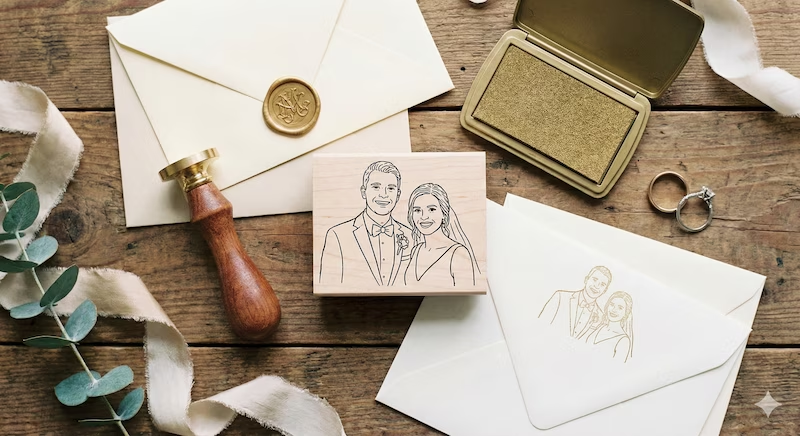
Weddings are full of expensive details. We call it the "wedding tax"—the moment you mention the word "wedding," the price doubles.
A custom portrait stamp is one of the cutest trends right now. It turns a boring envelope into a personal statement. But if you look on Etsy or boutique sites, commissioning a hand-drawn portrait stamp can cost a fortune and take weeks for a "proof."
Here is the secret: You don't need to hire an artist.
With new AI tools like PixSprout, you can act as your own custom portrait stamp maker. You can generate the design instantly for free (or a fraction of the cost), download the file, and then just order the physical stamp.
Here is your complete guide to hacking the wedding stamp process.
Step 1: The Design (The "PixSprout" Way)
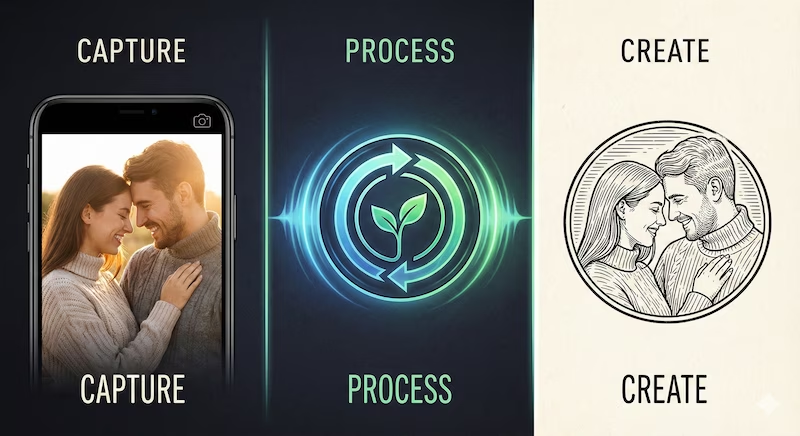
In the old days, you had to email a photo to a designer and wait 5 days for a sketch. Now, you can do it yourself in 30 seconds.
How to get the best result: The key isn't drawing skills; it's choosing the right photo for the AI to read.
- High Contrast is King: Use a photo with good lighting. If you are standing in a dark shadow, the stamp will look like a blob.
- Clean Backgrounds: A photo of you two against a plain wall works better than a photo of you in a crowded forest. The AI needs to see you, not the trees.
- Faces First: Full-body shots get messy when shrunk down to a 2-inch stamp. Use a photo cropped from the waist or shoulders up.
Action: Go to the PixSprout Image to Stamp Tool, upload your couple photo, and watch it convert into a vintage-style line drawing instantly.
Step 2: Getting It Made (Physical Production)
Once you download your transparent PNG from PixSprout, you have the "digital gold." You own the design. Now you just need to put it on rubber.
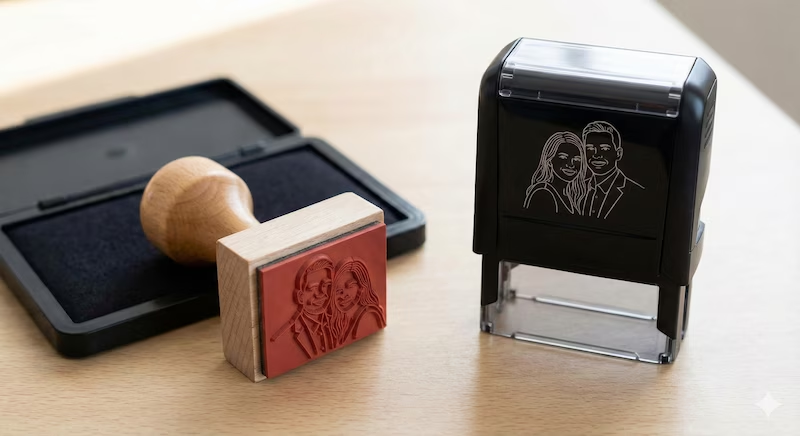
You have two main choices for the physical handle:
1. The Wood Handle (For the "Vibe")
This is the classic choice. It’s a wooden block with your rubber design glued to the bottom.
- Why choose it: It looks beautiful in your "flat lay" wedding photos (next to your rings and invites). Plus, you can change ink colors easily. Gold ink for invites? Black ink for napkins? Easy.
2. The Self-Inking Stamp (For Speed)
These machines have the ink pad built-in. You just press down.
- Why choose it: Speed. If you have to stamp 150 envelopes, your wrist will thank you.
Where to order: Since you already have the high-quality PNG file from PixSprout, you can upload it to any stamp manufacturer (like Vistaprint, Zazzle, or even a local office supply shop). You skip the "design fee" and just pay for the rubber.
Creative Ways to Use Your Stamp
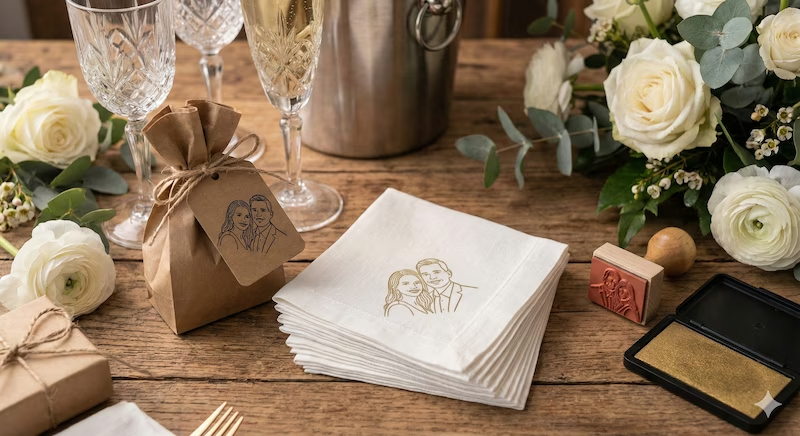
Once you have your stamp, don't stop at envelopes. Since you own the design, you can go crazy.
- Cocktail Napkins: Buy 500 cheap white napkins and stamp them with gold ink. It looks incredibly high-end.
- Favor Tags: Stamp plain kraft paper tags for your gift bags.
- The "Thank You" Hack: Use the stamp as a signature on your thank-you cards to save writing your names 200 times.
- Temporary Tattoos: Believe it or not, there are companies that turn PNG files into temporary tattoos. Perfect for the bachelorette party!
A Note on Ink (Don't Ruin Your Invites)
I learned this the hard way: Paper matters.
- Matte Paper: Standard ink works fine. It dries fast.
- Glossy/Shimmer Paper: Standard ink will never dry. It will smear the second you touch it. If your envelopes have a shine, you must buy "Quick-Dry" or "Solvent" ink (like StazOn).
Why DIY with AI?
Sure, you could pay someone $100 to draw your faces. But creating it yourself with PixSprout gives you total control. You can try 10 different photos to see which one looks best as a stamp, instantly.
Ready to see what you two look like in ink?
Recommended Posts
Stop Getting Hand Cramps: The Brutal Truth About Signature Stamp Makers
Tired of signing hundreds of checks by hand? Most custom signature stamps end up looking like smudged garbage. Here's exactly how to get one that actually works.
Custom Stamp Maker Guide: DIY Machines vs. Pro Services vs. AI Tools
Stop wasting money on bad ink. Here’s the honest truth about custom stamp makers, from the Silhouette Mint to digital AI design tools.
AI Stamp Maker: Stop Overpaying for Custom Digital Seals (2026 Guide)
Still waiting days for a designer to make a simple stamp? Stop. Here’s how AI stamp makers let you generate custom, vintage, or business seals in seconds.
Pet Memorial Stamp Design Maker: Turning Memories into Keepsakes
The house feels too quiet? Create a custom pet memorial stamp to honor your best friend. A simple, heartfelt guide to turning photos into lasting tributes.
Convert Logo to Stamp PNG Transparent: The 'No-Stress' Guide
We've all struggled with Photoshop masks. Here is how to convert your logo to a realistic stamp PNG without losing your mind.
Create Date Stamp Image Online: Free AI Tools & Easy Methods
Tired of boring date stamp templates? Learn how to generate custom, vintage, or gritty date stamps from text prompts using PixSprout.
Comments
No comments yet